
No ads
No banners, pop-ups, video ads or ad trackers. Ever.
Videos from KakaoTalk, iPhone and Galaxy, MKV movies, music and subtitles —
opened in one click, for free, on Web, Windows and Android.
Free forever. No account required.
NEW · Share what you play, anywhereNo banners, pop-ups, video ads or ad trackers. Ever.
HEVC, MKV, AC-3 and more play without buying a codec pack.
Files are played on your device and never uploaded.
File associations, history and diagnostics are all opt-in.
Watch together · Video call · Lectures · Presentations
Play a video, lecture or presentation and send a link: people at the office, at home or on the road see the same picture and hear the same sound live. They need no file and no install.
Viewers just open the link and watch in their browser. No app, no sign-up.
Stereo sound and the subtitle line come along, as if they sat next to you.
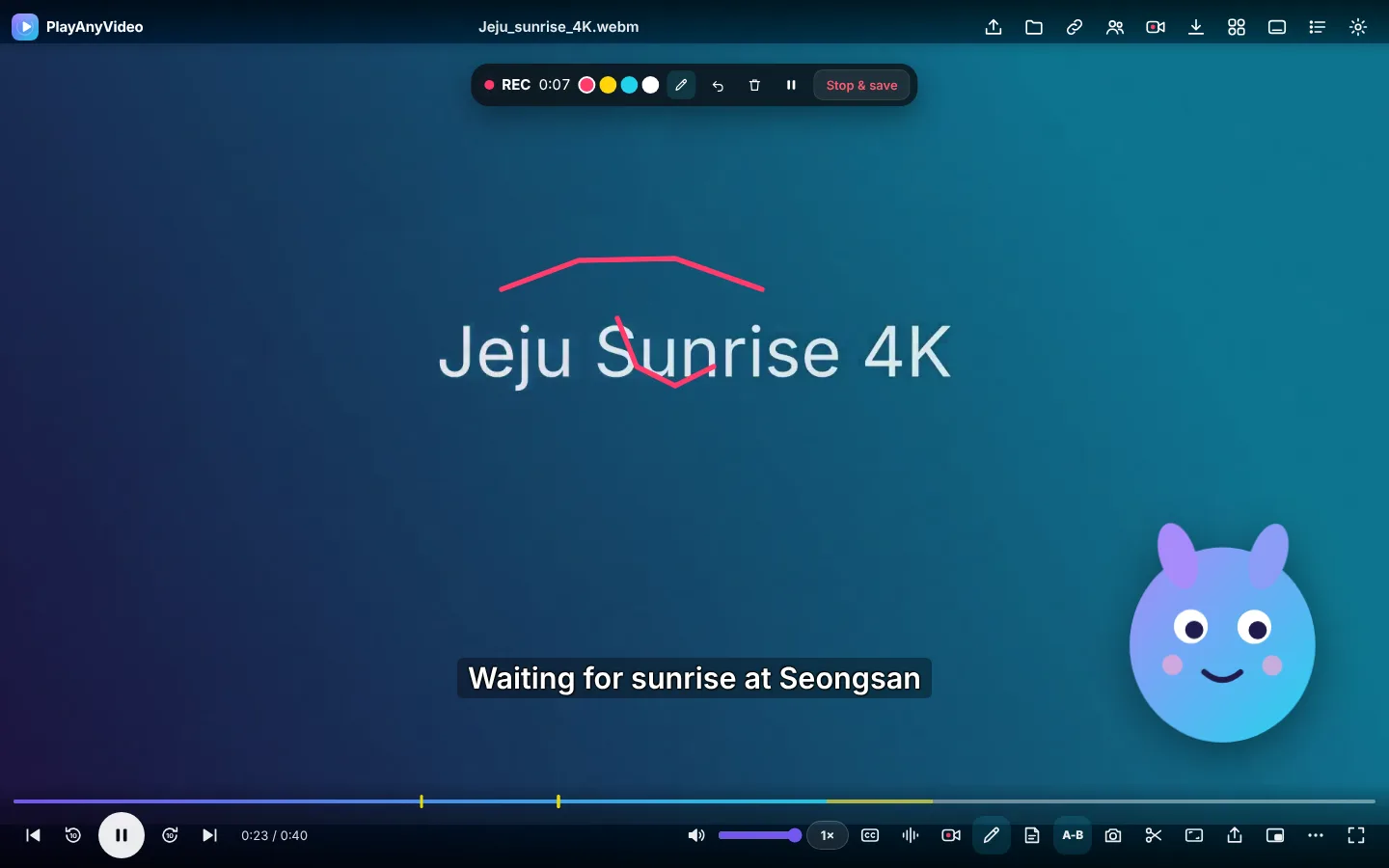
Host-only controls, whiteboard and pen, video call and chat, polls, quizzes, attendance export and lesson recording.
One link for everyone. For 50+ viewers, plug in your own Cloudflare key for a steady picture.
Viewers can send it to a smart TV with Chrome Cast, Windows key + K, Galaxy Smart View or AirPlay.
Every viewer reads the subtitles in their own language, translated on their own device.
The video is never stored on a server: it goes device to device, encrypted.
On-device AI
Transcribe and translate even without subtitles, then study and search by what was said. All processing stays on your device.
Even a foreign video with no subtitles: the Windows app transcribes it on your PC and translates it into your language, shown with the original. Video and sound never leave your device.
The whole script follows playback: repeat a line, slow it down, hide the subtitle, tap a word for its meaning, keep a word book (CSV). Lectures and dramas become study material.
Find 'the scene where they said that' across every video you've watched and jump straight there. Long lectures get topic chapters automatically.
Music and effects dip only while someone speaks, so voices stand out; low-resolution video is enlarged and sharpened on your GPU to your screen's real pixels.
Transcription, translation and search all run on this device only; video, sound and subtitles are never sent anywhere.
Features
HEVC (H.265) clips from KakaoTalk, iPhone and Galaxy play instantly in the Windows app — no Microsoft Store codec required.
SRT, VTT, SMI, ASS/SSA with automatic encoding detection (EUC-KR, Shift_JIS, GBK…), sync, size, color and position control.
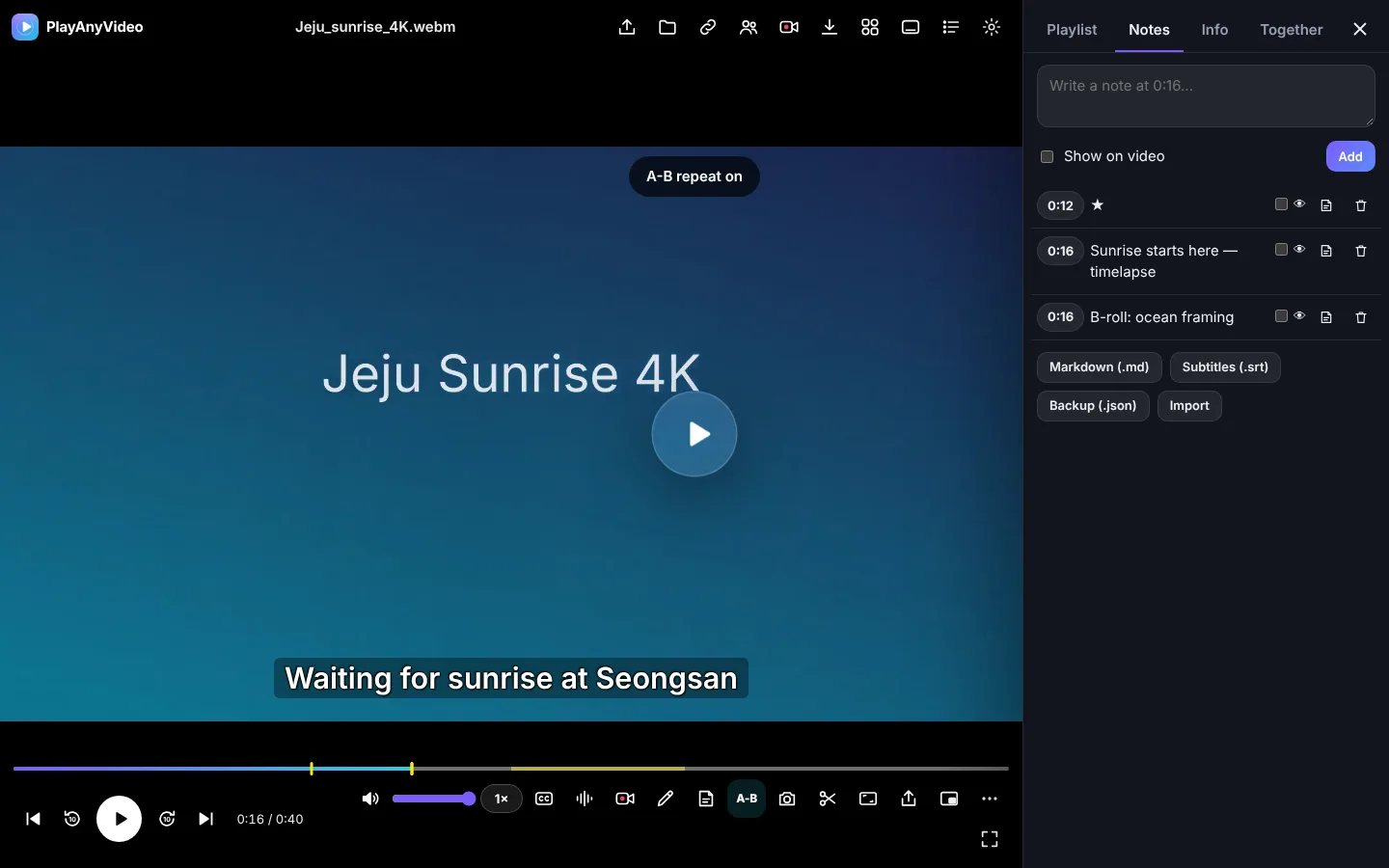
Write time-stamped notes, show them on the video, jump with one click and export to Markdown or SRT.
Loop any section for language study or practice and save it as a clip.
Speed 0.25–4×, frame step, rotate, mirror, zoom, brightness, contrast, volume boost up to 300%.
Drop a folder, shuffle, repeat, and continue exactly where you stopped.
Save direct links you have the right to keep. DRM and protected streams are never bypassed.
Installable PWA, Windows app with file association, and an Android app coming to Google Play — 12 languages.
KakaoTalk · iPhone · Galaxy
Sound but no picture, a black screen, or a “buy a codec” prompt? Your video is almost certainly HEVC (H.265).
Sound only · Black screen
HEVC decoded on your device — free
Install PlayAnyVideo for Windows (free, ad-free).
Double-click the video or drag it onto PlayAnyVideo.
PlayAnyVideo detects HEVC and decodes it with its built-in open-source engine — no purchase, no upload.
PlayAnyVideo
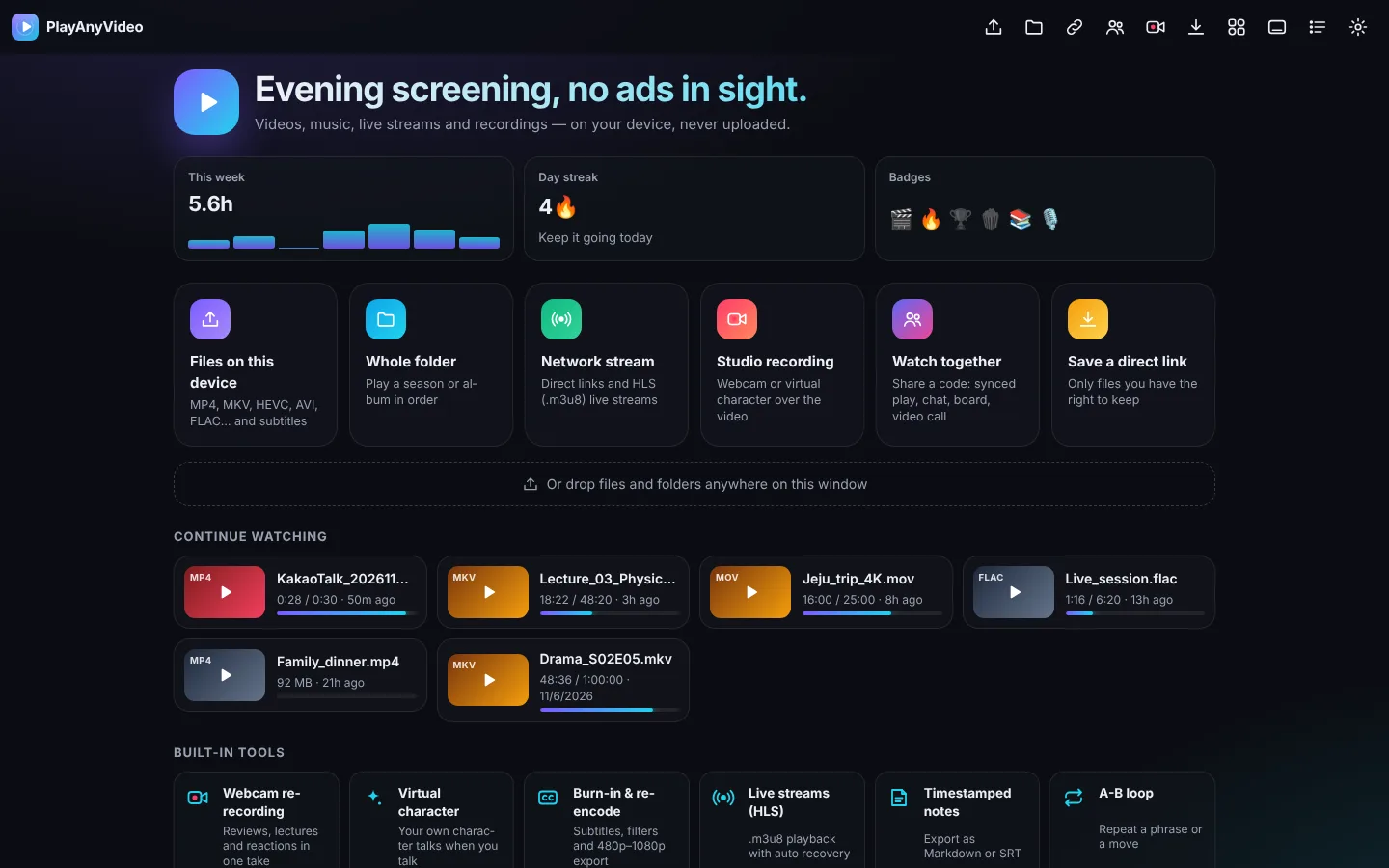
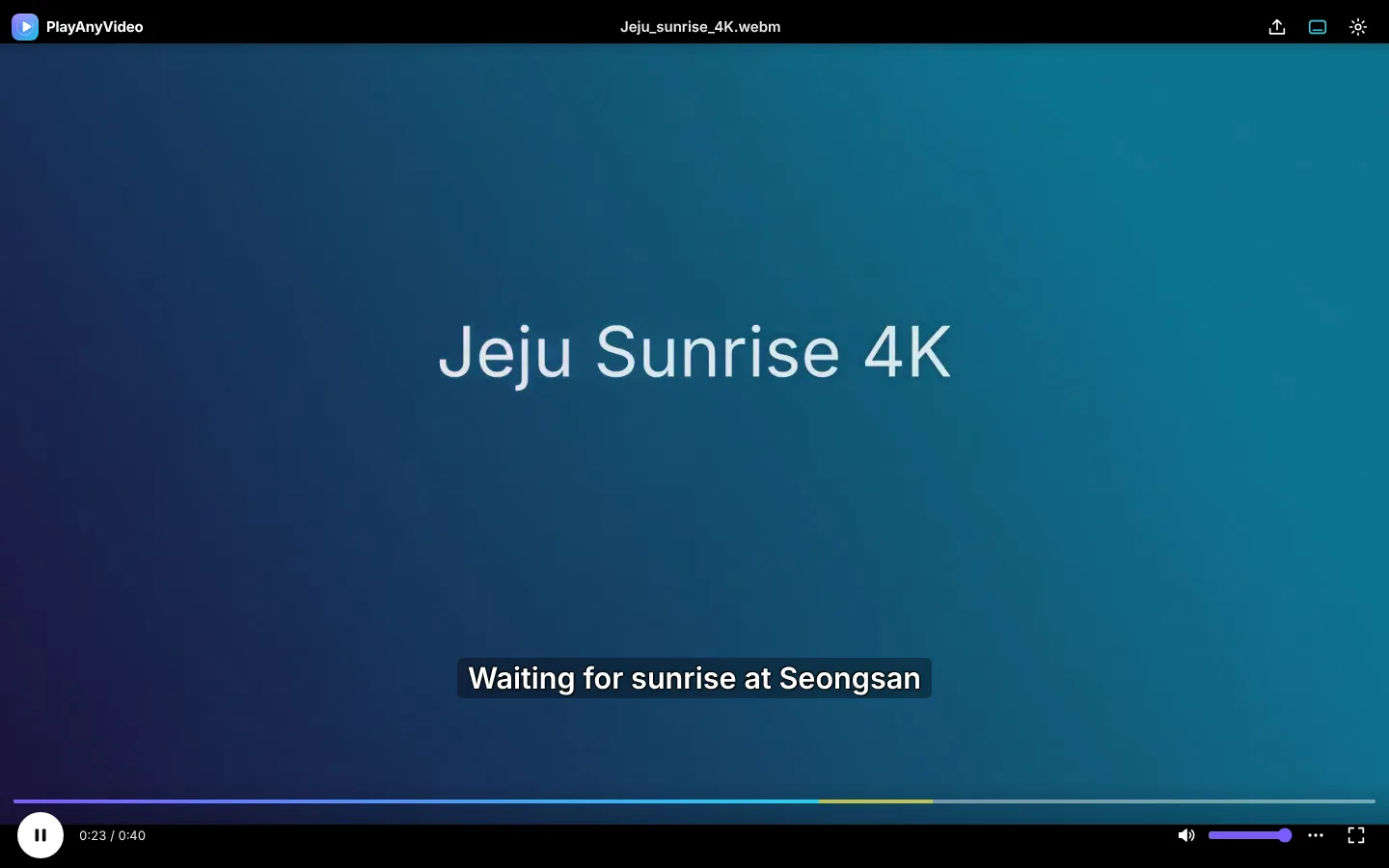
Real screens from the player — home, playback with subtitles and notes, studio recording with a virtual character, and minimal mode.
Our promises
Many free players pay for themselves with ads, bundled offers and codec upsells. PlayAnyVideo doesn’t.
 PlayAnyVideo | Typical “free” player | |
|---|---|---|
| Ads | None, ever | Banners, pop-ups |
| HEVC codec purchase | Not needed | Often asked |
| Bundled offers in installer | Never | Common |
| Uploads your files | Never | Varies |
| Ad trackers | None | Common |
| Paid unlocks | None | Pro upgrade |
Download
Signed installer. Choose PlayAnyVideo as your default player in Windows Settings if you like.
On first launch Windows SmartScreen may warn about an ‘unrecognized app’. Choose ‘More info → Run anyway’ to install. The installer is signed by PROJECTTEAMFORYOU.
Download for Windows · v0.1.34Distributed through Google Play. Opens videos from KakaoTalk, your gallery or a file manager with “Open with”.
We’re getting ready to launch on Google Play. Once it’s live, you can get it right here.
Android · Coming soon to Google PlayNo install needed. Click “Install app” in your browser to add it to your desktop.
Play in browser nowOpen the player in your browser or install the app.
Drag a video, a folder or a subtitle file onto the window.
Watch. Your place is remembered automatically.
Many phones record in HEVC (H.265). Windows' built-in player asks you to buy the HEVC Video Extension. PlayAnyVideo for Windows includes an open-source decoder, so these videos play for free.
Yes. Core playback, subtitles, playlists and picture controls are free with no ads and no paid unlocks.
No. Files you open are played locally. The web player runs entirely in your browser.
In the browser: MP4/H.264, WebM/VP9/AV1, MP3, AAC, FLAC, Opus, WAV and more depending on the browser. In the Windows app: additionally HEVC, MKV with AC-3/DTS audio, AVI, WMV, FLV, MOV and others via FFmpeg.
No. PlayAnyVideo only saves direct links you have the right to keep. It never bypasses DRM, logins or platform terms.
Yes, once the app is on Google Play: install it from the Play Store in an emulator image that includes Google Play. On Windows we recommend the native Windows app for best performance.
Free forever. No account required.